
 Calorie Tape for iPhone
Weight tracker
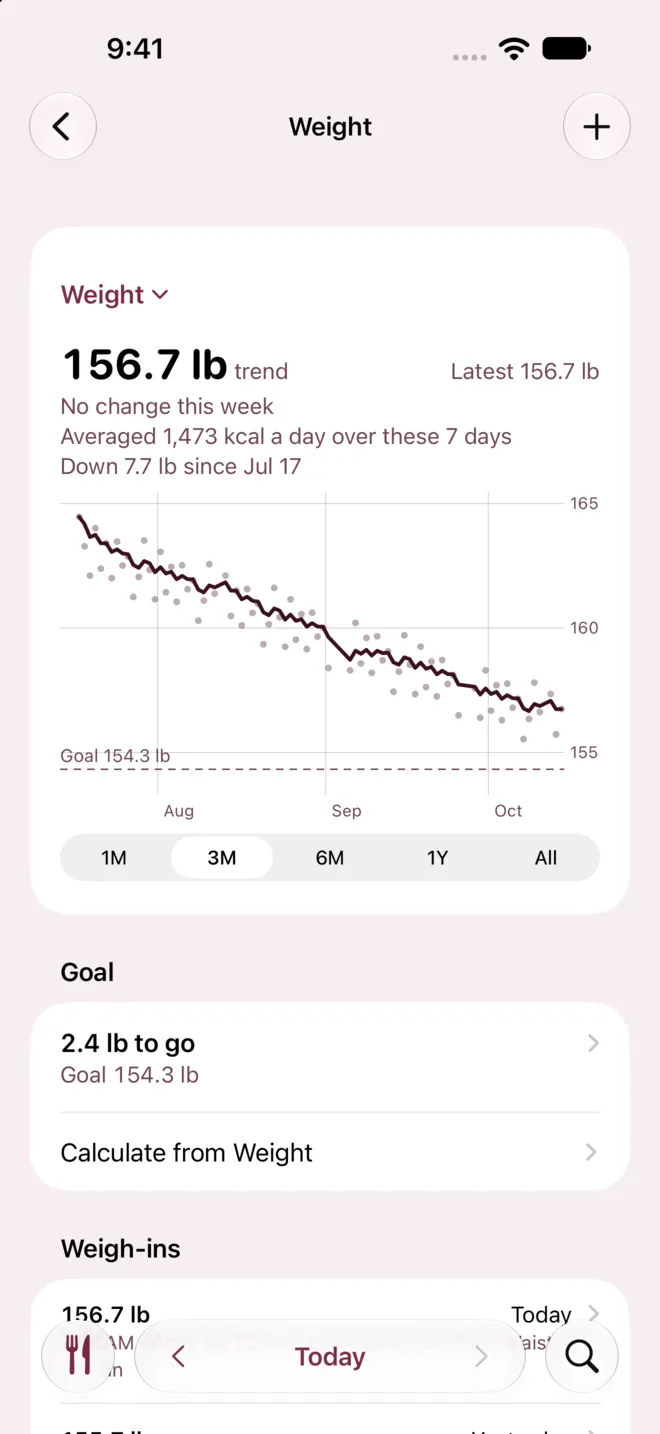
Log your weight, with body fat, lean body mass and waist if you measure them. See the trend on a chart beside your goal weight. Get a suggested calorie target from your sex, age, height, weight, activity and weekly pace.


iPhone · iOS 27 or later · No account needed
How it works
In Settings, tap Weight and turn on Track weight.
On Today, tap Weight, tap +, type your weight and tap Save Weigh-in.
Tap Calculate from Weight, answer the questions and tap Use to set your calorie target.
What it can't do
- Predicts your goal date
- No
- Calorie Tape doesn't predict when you'll reach your goal weight.
- Weigh-ins
- 1 a day
- A day holds one weigh-in, so logging again that day replaces it.
- Other smart scale values
- Not recorded
- Body water, muscle mass, bone mass, BMI and other smart scale values aren't recorded.
- Target calculator
- Adults 18 and older
- The target calculator is for adults, since its formula doesn't fit anyone under 18.
Questions
Will Calorie Tape change my calorie target as my weight changes?
No. The target calculator suggests a target once, and your target changes only when you tap Use. Calorie Tape never changes a target on its own.
Why is my trend different from my latest weigh-in?
The trend averages your weigh-ins over about a week, so one salty dinner doesn't read as a gain. The trend moves about 3 days behind your weigh-ins, so your latest weigh-in shows beside it.
Can I use a smart scale?
Yes, through Apple Health. Turn on Read measurements, and your scale's weight, body fat and lean body mass show beside your weigh-ins. Calorie Tape reads them each time and never stores them in your log.
Related
Get Calorie Tape
Calorie Tape is on the App Store for iPhone. It needs iOS 27 or later. Every feature is free today.