
 Calorie Tape for iPhone
A food diary with no account
Start logging with no sign-up. Your log stays on your iPhone and syncs only through your private iCloud. We can't access it.


iPhone · iOS 27 or later · No account needed
How it works
Open Calorie Tape and log your first food on Today.
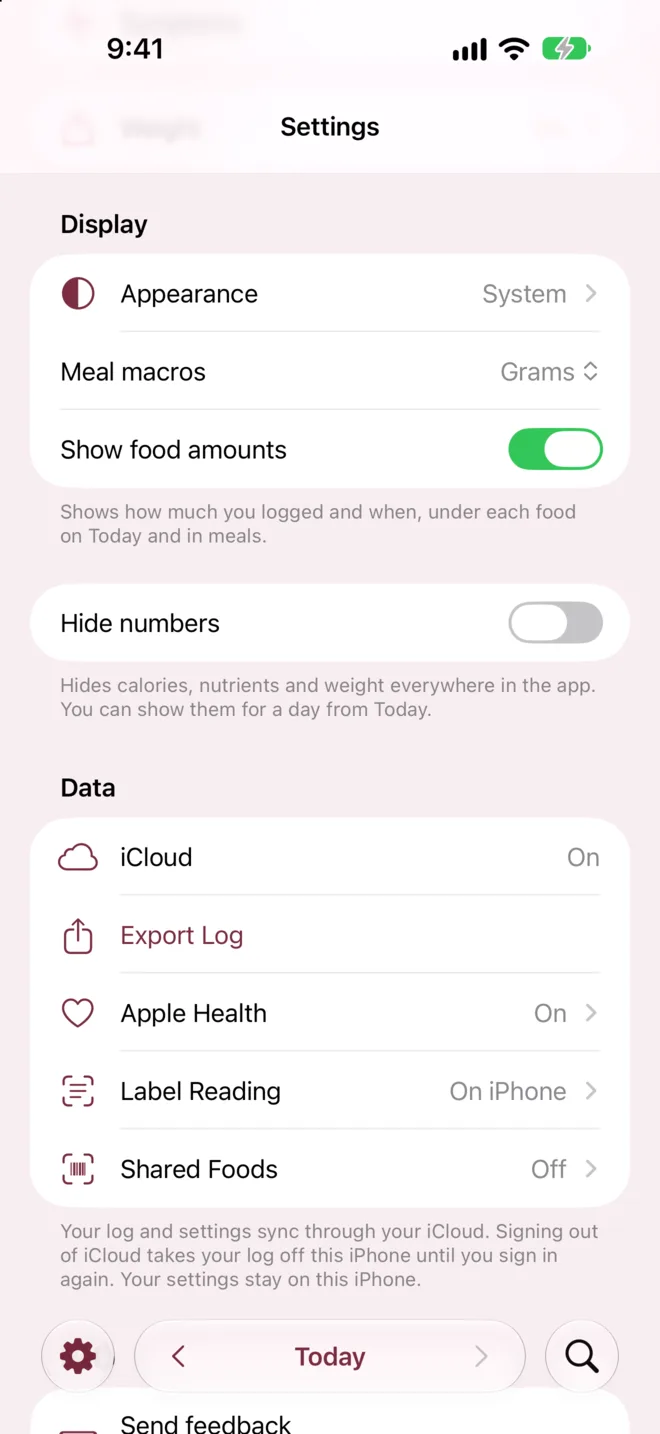
In Settings, check that the iCloud row under Data reads On.
Choose Agree or Not Now when Calorie Tape asks about Shared Foods or reading labels online.
What it can't do
- Lost log recovery by us
- Not possible
- We can't recover a lost log, so iCloud sync and your iPhone's backup are what keep it.
- Sync switch in the app
- None
- Calorie Tape has no switch to stop syncing, so turn off iCloud for Calorie Tape in your iPhone's Settings.
- Signed out of iCloud
- Log leaves the iPhone
- Signing out of iCloud takes your log off your iPhone until you sign in again.
- Devices
- iPhone only
- Calorie Tape is only on iPhone, with no web or Android version.
Questions
Can I use Calorie Tape offline?
Yes. Search, barcode scanning and logging work with no internet. Changes you make offline sync to iCloud when you reconnect.
What does Calorie Tape send to its servers?
Calorie Tape sends data only from 2 optional features, and only after you agree. Shared Foods sends a barcode that isn't on your iPhone. Label Reading sends package photos to read the label. If you save that food and it has a barcode, it also sends the photos and values for review. Each request carries an ID for your copy of the app, not your name.
What happens when I get a new iPhone?
Sign in to the same iCloud account, and your log and settings sync to it. Apple Health switches stay on each iPhone, so turn them on again there.
Related
Get Calorie Tape
Calorie Tape is on the App Store for iPhone. It needs iOS 27 or later. Every feature is free today.