
 Calorie Tape for iPhone
Export your food log
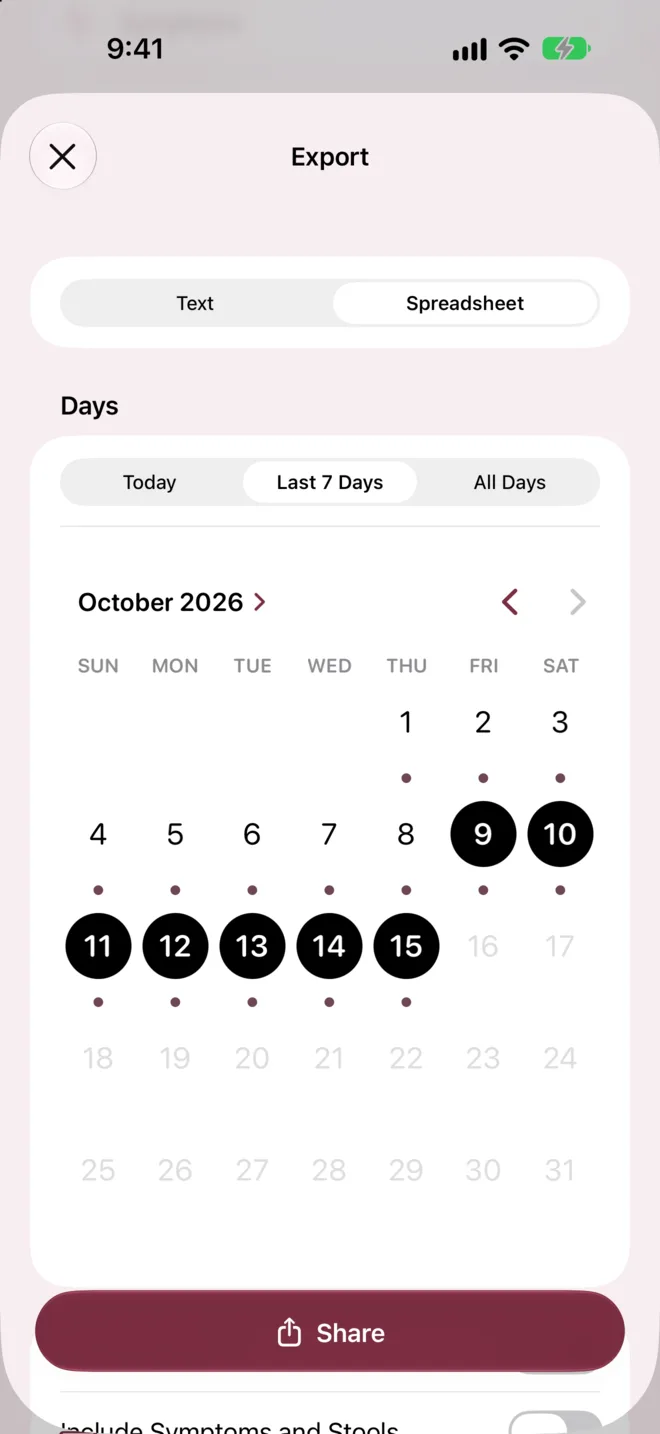
Export the days you choose as text or a spreadsheet file (CSV). Touch and hold the summary on Today to share one day as a picture. Exports are made on your iPhone and leave only when you copy or share them.


iPhone · iOS 27 or later · No account needed
How it works
In Settings, tap Export Log.
Choose Text or Spreadsheet, then choose Today, Last 7 Days, All Days or days on the calendar.
Tap Share, or tap Copy to paste the text somewhere else.
What it can't do
- Import a file
- No
- Export is one-way, so Calorie Tape can't import a file back in.
- PDF report
- No
- Calorie Tape doesn't make a PDF report.
- Picture
- 1 day or 1 meal
- The picture covers one day or one meal, never a range of days.
- Totals in the spreadsheet
- None
- The spreadsheet has no totals, since spreadsheet apps would add blank values as 0.
Questions
Can I send my food log to my dietitian?
Yes. Choose the days in Export, then copy the text into a message or share it. To print it, choose Print in the share sheet.
What's in the spreadsheet?
The spreadsheet has one row per entry, with the date, time, meal, food, brand, amount and every nutrient for the amount logged. A nutrient the food doesn't report is a blank cell, never 0. Every export has the same columns, so files from different days combine.
Are my notes, symptoms and weight included?
Only if you choose. Each switch starts off, so turn on Include Notes, Include Symptoms and Stools or Include Weight in Export.
Related
Get Calorie Tape
Calorie Tape is on the App Store for iPhone. It needs iOS 27 or later. Every feature is free today.