
 Calorie Tape for iPhone
Barcode scanner
Scan a packaged food's barcode to find it among the foods on your iPhone. Scanning works with no internet. If a barcode isn't found, add the food from a photo of its Nutrition Facts label.


iPhone · iOS 27 or later · No account needed
How it works
Tap Search, then Scan Barcode.
Hold the barcode inside the frame until the food opens.
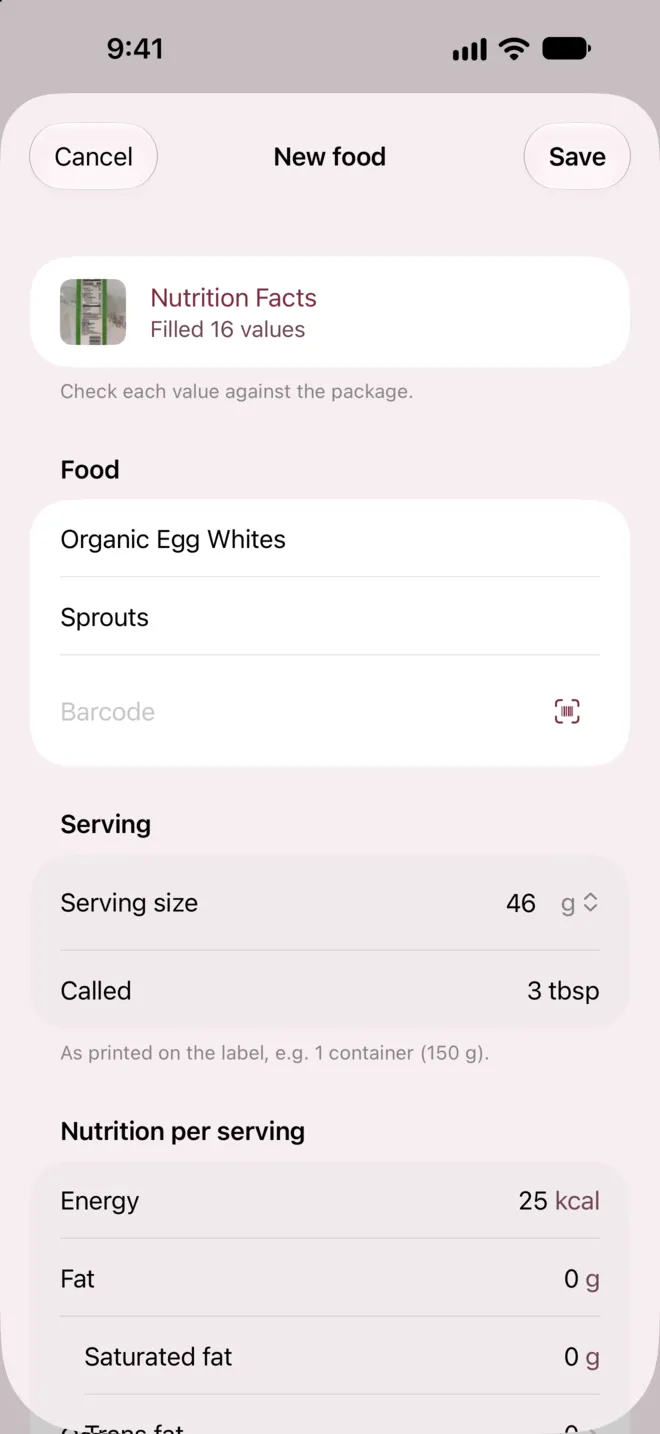
If Food Not Found appears, tap Create Food and photograph the package's Nutrition Facts.
What it can't do
- Packaged foods
- 5 countries
- Packaged foods cover products sold in the US, Canada, the UK, Australia and New Zealand, so a scan elsewhere may miss.
- Open Food Facts products
- From volunteers
- Open Food Facts products come from volunteers' photos of packages, so check a scanned product's values against its package.
- Food form
- US Nutrition Facts
- The food form follows the US Nutrition Facts label, so labels from other countries may not fill every value.
- Name and brand, read on iPhone
- Needs Apple Intelligence
- With Label Reading off, reading a package's name and brand needs Apple Intelligence.
Questions
Does barcode scanning need the internet?
No. Calorie Tape checks each scan against the food catalog on your iPhone and the foods you created. With Shared Foods on, a barcode that isn't on your iPhone is also checked online.
What does Shared Foods send?
Shared Foods sends the barcode you scanned, after you agree the first time a scan misses. Our servers keep the barcode for 7 days with an ID for your copy of the app, not your name. Turn it off in Settings, under Shared Foods.
What does online Label Reading send?
Label Reading sends your package photos to our servers and service providers to read the label. If you save that food and it has a barcode, we keep its photos and values for review and may publish its values. We delete other photos after 7 days.
Related
Get Calorie Tape
Calorie Tape is on the App Store for iPhone. It needs iOS 27 or later. Every feature is free today.